DHT22 With an ESP32: Why Your Sensor Reads Wrong and How to Fix It
Almost every wrong reading traces to one of eight wiring mistakes. Here is each one, with the datasheet line that settles it.
⏱ In 30 Seconds
- The DHT22 (also sold as AM2302) is a $2–5 digital temperature and humidity sensor: −40 to +80°C at ±0.5°C, 0–100%RH at ±2%RH, and 0.1° resolution on both.
- On an ESP32 it must run at 3.3V, never 5V: the sensor tolerates 5V, but the ESP32 GPIO input does not (3.6V absolute maximum).
- Read it at most once every 2 seconds, with a 4.7k pull-up on the data line — not 10k, and not once per second.
- Home Assistant reads it through ESPHome with a three-line config block, and a wired-up sensor pass is a proven $79–150 service install.
Bottom line: a $10 ESP32-plus-DHT22 pass turns any room, cellar, or enclosure into measured data — provided the wiring matches the datasheet, which most first attempts do not.
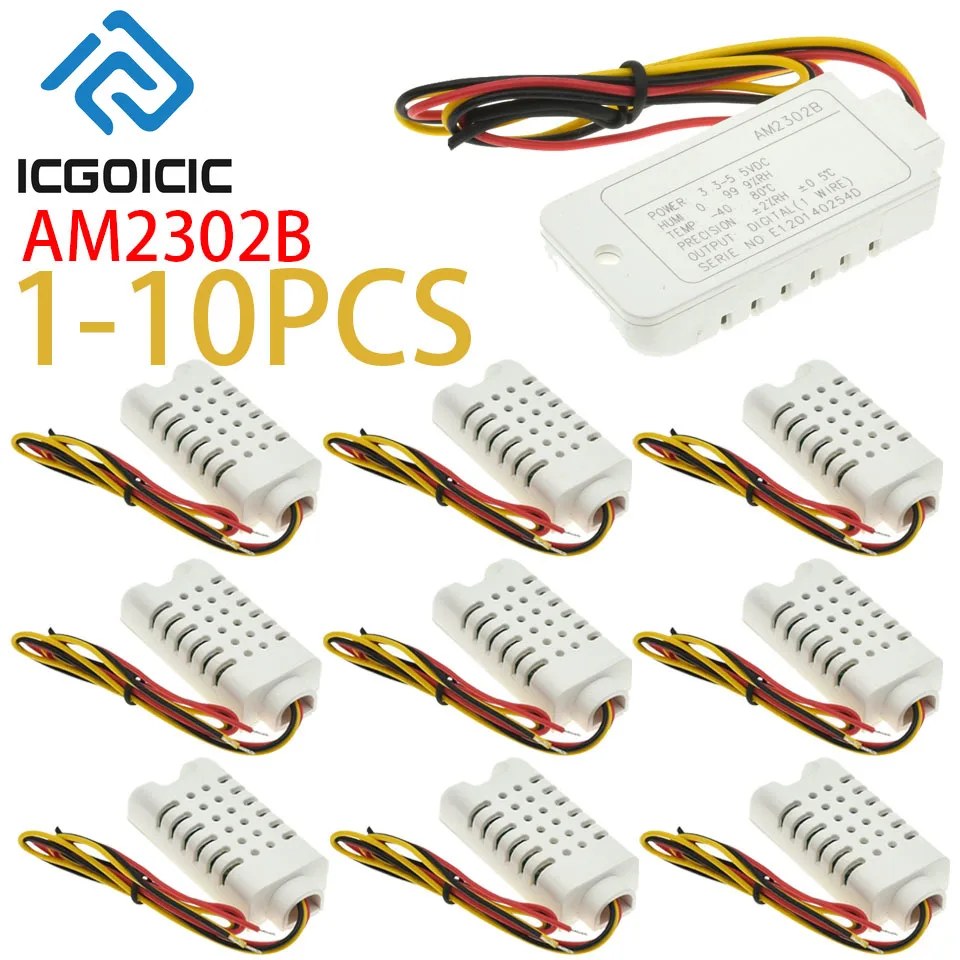
The DHT22 — sold interchangeably as AM2302, or as the AM2302B wire-lead variant — is the default "first real sensor" for environmental monitoring: a vented white plastic block with a capacitive humidity element and a thermistor inside, driving a proprietary single-wire digital output. It costs a couple of dollars and ships in every beginner kit.
It is also the sensor with the highest wrong-reading rate on the hobbyist bench, and bad parts are almost never the reason. The causes are wiring, power, and timing decisions that contradict the datasheet. All eight are covered below, each with the specific line it violates.
What Do the Datasheet Numbers Actually Say?
The sensor carries two names on the same silicon: DHT22 and AM2302. The manufacturer, Aosong (brand ASAIR), publishes the AM2302 Technical Manual on its own domain, and that document — not forum advice — is the source for every figure below. Where the manual itself gives two values (it does, for the pull-up), both are listed with their sections.
| Spec | Value | Manual reference |
|---|---|---|
| Supply voltage | 3.3–5.5V DC (5.0V suggested) | §3.1 |
| Temperature range | −40 to +80°C | §5.1, Table 1 |
| Temperature accuracy | typ. ±0.5°C | Fig. 3, Table 2 |
| Temperature resolution | 0.1°C (16-bit) | §5.2 |
| Humidity range | 0–100%RH (0–80%RH normal working range) | Fig. 4, Table 1 |
| Humidity accuracy | typ. ±2%RH, max ±5%RH | §1.2, Table 2 |
| Humidity resolution | 0.1%RH (16-bit) | §5.2 |
| Minimum read interval | 2 seconds | §5.1 note 3, §2.3 |
| Pull-up on data line | 5.1kΩ (<30m wire, §5.1) / ~4.7kΩ (bus spec, §5.2) | §5.1, §5.2 |
| Repeatability | ±0.2°C, ±1%RH | §3 |
The −40 to +80°C range is the sensor's, not the breakout's
Some seller listings advertise ±125°C capable modules. That is not the Aosong spec — the AM2302 manual states −40 to +80°C. Listings also vary on the voltage range: an older Aosong DHT22 sheet says 3.3–6V, the current AM2302 manual says 3.3–5.5V. Buy on the current manual's numbers.
Why Can't I Power It From 5V Like the Tutorials Say?
Because that advice confuses what the sensor tolerates with what the microcontroller pin tolerates.
The AM2302 manual states the supply range as 3.3–5.5V with 5.0V suggested (§3.1). So the sensor itself is happy on 5V. The problem is what the data line does: the bus idles high, pulled up to the supply rail (§5.2). Power the sensor at 5V and its data line sits at roughly 5V whenever no transfer is running — and the ESP32's GPIO absolute-maximum input voltage is 3.6V (Espressif ESP32 datasheet, Table 5-1). A 5V-idling data line connected to an ESP32 pin is out of spec before you ever read a value.
Bus idle level: pulled up to VDD
ESP32 GPIO abs-max input: 3.6 V (Espressif Table 5-1)
Correct choice on ESP32: power the sensor at 3.3 V — sensor and pin then agree.
The practical exception: a breakout module that includes its own onboard regulator and pull-up tied to 3.3V can be fed 5V while keeping its data output at 3.3V. Check the module schematic before assuming yours does this; the bare sensor does not.
Why Is My DHT22 Returning NaN or "Failed to Read"?
Five separate faults all produce this one symptom. Work down the list in order — it matches the order in which the faults actually occur on a bench.
- No pull-up resistor, or the wrong value. The bus idles high only because a pull-up holds it there; the sensor's data pin is open-drain (§5.2). Without an external pull-up the line floats and nothing survives the first transfer. The manual specifies 5.1kΩ for wires under 30m (§5.1) and ~4.7kΩ as the single-bus value (§5.2) — these are the same recommendation across revisions. The widely repeated "10kΩ" figure is ecosystem folklore, not the datasheet: 10k is marginal at best because the bus rise time slows enough to corrupt the bit windows.
- An input-only GPIO. ESP32 pins 34–39 have no output driver and no internal pull-up/pull-down (Espressif pin-list note). The protocol requires the host to drive the start pulse low (§5.3). A sensor wired to GPIO34–39 cannot work, no matter what the code does. Use GPIO4, 5, 16, 17, or any other full pin.
- Reading too fast. The manual requires at least 2 seconds between reads (§5.1 note 3) and warns that a shorter interval produces inaccurate data or communication failures. A loop that polls every 500ms is not "more responsive" — it is a documented way to break the transfer.
- Reading immediately after power-on. The same note requires waiting more than 2 seconds after the sensor powers up before the first request. The first reading taken earlier is unstable by specification.
- Assuming I²C. The AM2302 speaks a proprietary one-wire protocol, not I²C (§5). Aosong makes genuinely I²C parts with confusingly similar names — the AHT20, and DHT20, which is the I²C successor to the DHT22. If your code expects address 0x5C, you either have the wrong part or the wrong library.
Why Does My First Reading Look Garbage or Freeze?
Two timing rules produce this. Both are in the same paragraph of the manual (§5.1 note 3): wait more than 2 seconds after power-up before the first read, and keep at least 2 seconds between reads. The sensor needs its own settling time, and treating the interval as "wherever the loop happens to land" is what turns a working wiring job into flaky data.
There is also a wire-length rule specific to 3.3V operation: when the sensor runs at 3.3V, the connecting wire must not exceed 1 metre (§5.1 note 2) — the small logic swing cannot survive the voltage drop of a longer run at this supply. Longer runs need 5V supply (with the level considerations above) or a shorter wire. And keep solvents, hot glue, and adhesive tape away from the vents: the manual documents chemical vapour exposure as a cause of permanent reading drift (§2.1, §2.2), and hot-gluing a sensor into an enclosure is precisely that exposure.
How Do You Wire It So It Actually Works?
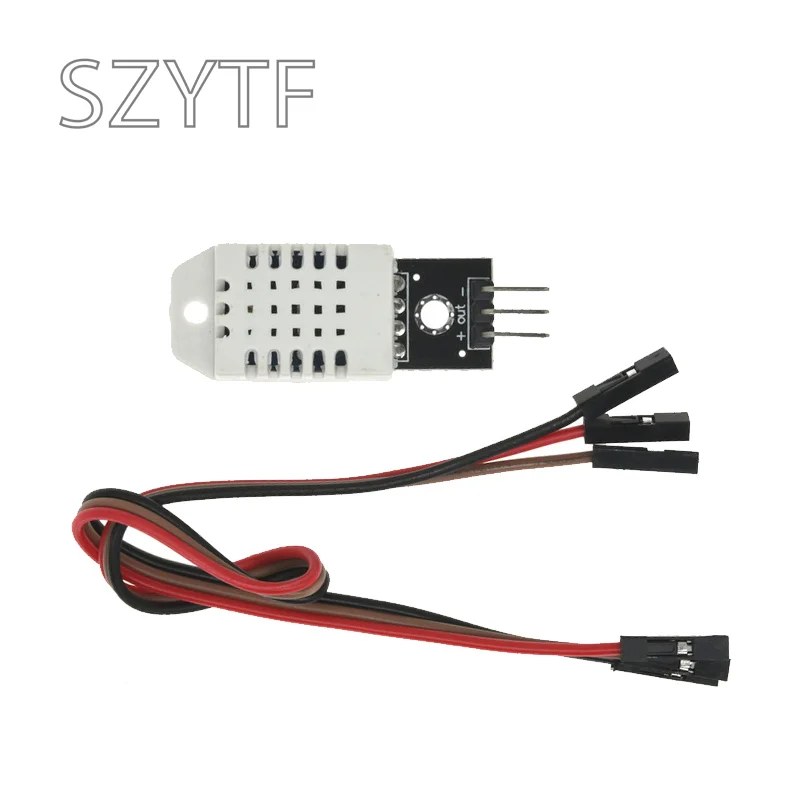
Three connections, all handled in the same pass:
GND → sensor GND (pin 4 or the − pin)
GPIO4 → sensor DATA (pin 2 or Out), through a 4.7kΩ pull-up from DATA to 3V3
Power at 3.3V keeps the data line inside the ESP32's 3.6V input limit.
Most ESP32 boards expose 3V3 directly, so no level shifting or external regulator is needed. The pull-up is mandatory even though many breakouts include one onboard — if your module has a pull-up already, skip the external one; if you bought the bare wire-lead sensor (the AM2302B form), there is no pull-up anywhere except what you add.
How Do I Add a DHT22 to Home Assistant?
The short path is ESPHome: flash the ESP32 with an ESPHome firmware, declare the sensor, and Home Assistant discovers it automatically. The complete config is small:
sensor:
  - platform: dht
    pin: GPIO4
    model: DHT22
    temperature:
      name: "Cellar Temperature"
    humidity:
      name: "Cellar Humidity"
    update_interval: 60s
Three details in that block are the datasheet rules wearing ESPHome syntax. model: DHT22 selects the 16-bit frame format rather than the DHT11's 8-bit one. update_interval: 60s sits comfortably above the 2-second minimum, so the sensor never sees back-to-back reads. And the ESPHome DHT component applies the required internal pull-up automatically on pins that have one — on the wire-lead sensor, you still add the external 4.7k resistor because GPIO4's internal pull-up is weaker than the bus specification calls for.
From there the graph, history, and alerting are Home Assistant stock: a cellar that passes 70%RH triggers a notification, a greenhouse that passes 30°C opens avent logic, and every reading lands in the recorder for later analysis. No cloud service is involved.
DHT22 vs DHT11: Is the Upgrade Worth It?
Yes, and the spec sheet is the whole argument. Both are Aosong parts on the same one-wire protocol family, but the DHT22 wins on every measurement axis:
| Spec | DHT11 (Aosong V1.3) | DHT22 / AM2302 |
|---|---|---|
| Humidity accuracy | ±5%RH | ±2%RH |
| Humidity resolution | 1%RH (8-bit) | 0.1%RH (16-bit) |
| Humidity range | 5–95%RH | 0–100%RH |
| Temperature accuracy | ±2°C | ±0.5°C |
| Temperature resolution | 1°C | 0.1°C |
| Temperature range | −20 to +60°C | −40 to +80°C |
| Read interval | >2s | ≥2s |
The DHT22 delivers roughly four times better temperature accuracy, two to three times better humidity accuracy, and ten times finer resolution — for a sensor that retails in the $2–5 range at retail snapshot prices, against roughly $1 for the DHT11. Whether that delta is "3× or 4×" changes listing to listing, so treat any fixed multiple you see as a dated retail observation, not a spec.
How Do You Make Money With a $2 Sensor?
The DHT22 is not a product you resell — it is the raw material for a service. The pattern that works is the measured-environment install: a sensor pass wired to an ESP32, an ESPHome firmware flashed, a Home Assistant dashboard configured, and a notification rule set for whatever the customer actually cares about.
- Cellar and wine-storage monitoring — humidity drift ruins stock, and owners pay for detection before it becomes damage.
- Greenhouse and grow-tent automation — temperature and humidity thresholds tied to fan or vent logic.
- Reptile and vivarium keeping — species-specific ranges, alarm outside them, logged history.
- Server-closet and 3D-printer-enclosure checks — cheap insurance for gear the owner already has.
Each install is $79–150 in this market: hardware at roughly $10–12 (ESP32 board, sensor, pull-up, enclosure), one to two hours of configuration, and an ESPHome + Home Assistant stack the customer keeps. The job is dominated by exactly the wiring discipline this page covers — getting the sensor reading reliably is what separates a one-off sale from a referral.
Done-for-You Playbook
Smart Home Installation — Business Starter Kit
The sensor install above is one service line in a full smart-home offer: client scripts, pricing sheets, and the package structure for recurring revenue on wired monitoring installs.
What Do People Ask About the DHT22?
Why does my DHT22 return NaN or "Failed to read"?
Five faults all produce this symptom: a missing or wrong-valued pull-up (the bus needs an external 4.7k–5.1k because the data pin is open-drain), a wire on ESP32 input-only pins GPIO34–39 which cannot drive the start pulse, reads faster than every 2 seconds, a read within 2 seconds of power-on, or I²C code pointed at a non-I²C part. Work down that list in order.
Can I power a DHT22 from 5V on an ESP32?
The sensor accepts 5V — its supply range is 3.3–5.5V — but the ESP32 GPIO input does not: its absolute maximum is 3.6V, and a 5V-powered sensor idles its data line near 5V. On an ESP32, power the sensor at 3.3V so the sensor and the pin agree. Breakouts with an onboard regulator are the exception; check the schematic before assuming yours has one.
What pull-up resistor does the DHT22 need?
The datasheet specifies 5.1kΩ where the connection wire is shorter than 30m, and about 4.7kΩ as the general single-bus value — both come from the same manual and are the same recommendation across revisions. The common "10kΩ" advice is folklore, not the datasheet, and the weaker pull-up slows bus rise time enough to corrupt bit timing.
Why does my DHT22 give the same reading for minutes?
Because it has not been asked for a new one. The manual requires at least 2 seconds between reads, and many libraries cache the last reading between intervals — a loop that polls every 500ms does not get fresher data, it gets the same sample repeated or a communication failure, per the same datasheet note.
DHT22 vs DHT11 — is the upgrade worth it?
Yes: ±0.5°C versus ±2°C temperature accuracy, 0.1°C versus 1°C resolution, ±2%RH versus ±5%RH humidity accuracy, and a −40 to +80°C range versus −20 to +60°C. On retail pricing the DHT22 lands in the $2–5 band, a small premium over the DHT11's roughly $1.
How do I add a DHT22 to Home Assistant?
Through ESPHome: declare a dht platform sensor on the GPIO you wired (GPIO4 in this guide), set model: DHT22 and an update_interval at or above 60s. Home Assistant discovers the entity automatically, and graphs, history, and alerting come free with the dashboard.
What Should You Build Next?
📬 Newsletter
One Bench-Tested Hardware Side Hustle. Every Tuesday.
Real teardowns, real profit math, real businesses. No fluff. No spam.